
A Python Hack to Grab U.S. Regional Economic Data
Add a regional dimension to your data stories and predictive models


A quick word before we start. I’m turning on paid subscriptions from today, but opting for the freemium model. This means all posts will remain free, but paid subscribers will get some extra perks like detailed code snippets for bigger projects and discounts on coaching (more on that in the coming weeks).
If you find my content helpful, then do consider upgrading to paid. It’s great motivation for me to keep investing time and energy into these posts. Thanks for all the support so far!
When I was trying to collect state-level data for my Maps Tutorial a couple of months back, I had a hard time finding the files I needed online. Indicators were scattered across different sources, and the formats of the files were not ideal for importing using Python.
The manual nature of it all also meant it would be a big hassle to update the plots in the future.
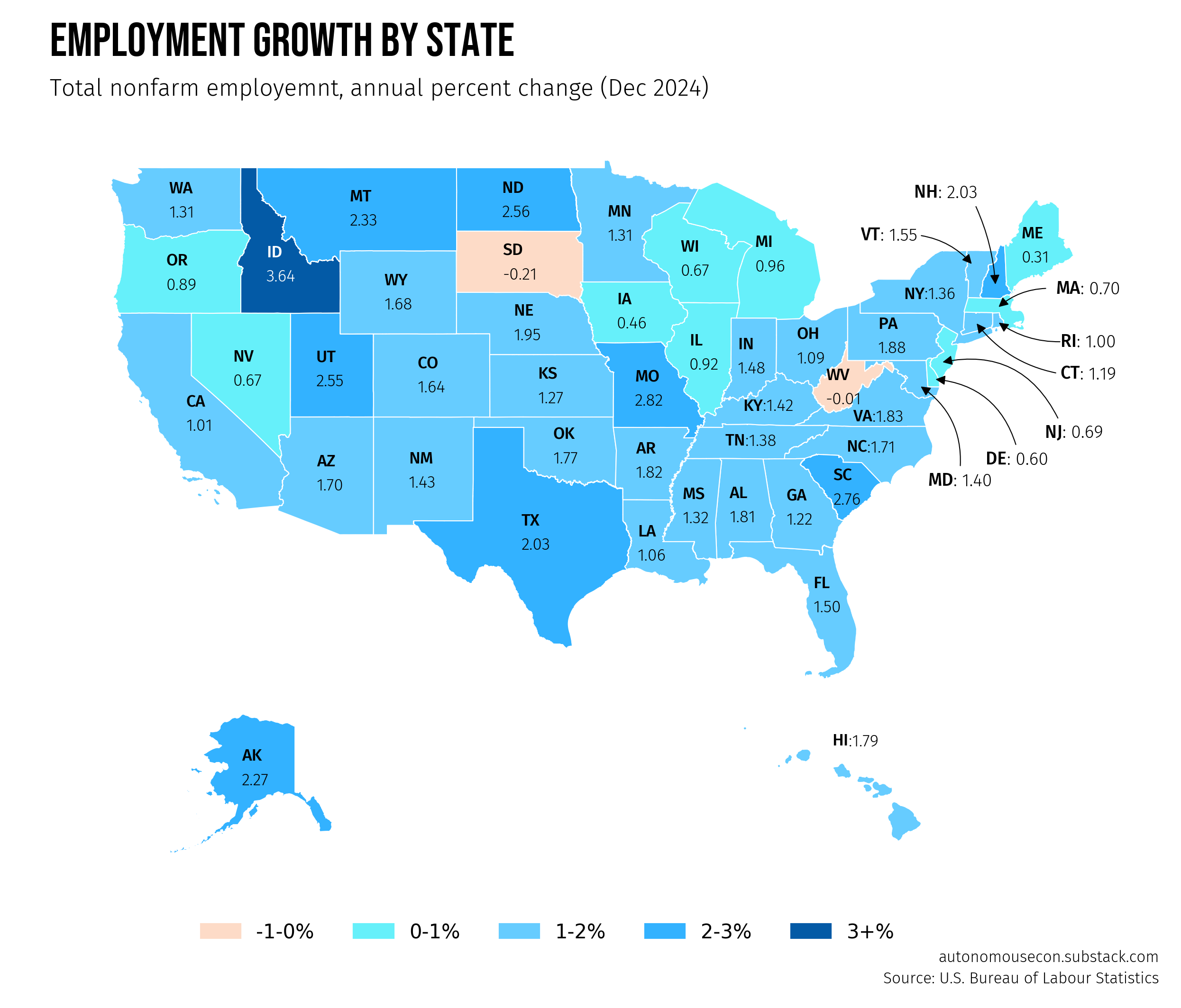
However, I soon discovered that the FRED API offers a wealth of regional economic indicators for the U.S., and it was extremely easy to compile data for all states into a pandas dataframe.
The solution for quickly retrieving data for all states is to use a Python function that programmatically queries the API in a loop for each state.
You can then integrate this retrieval script with your downstream code (charts, model training, etc.), making future updates a breeze.
There are many interesting datasets—over 440,000 just for states—from various sources. The data aren’t limited to states; county-level data are available as well.
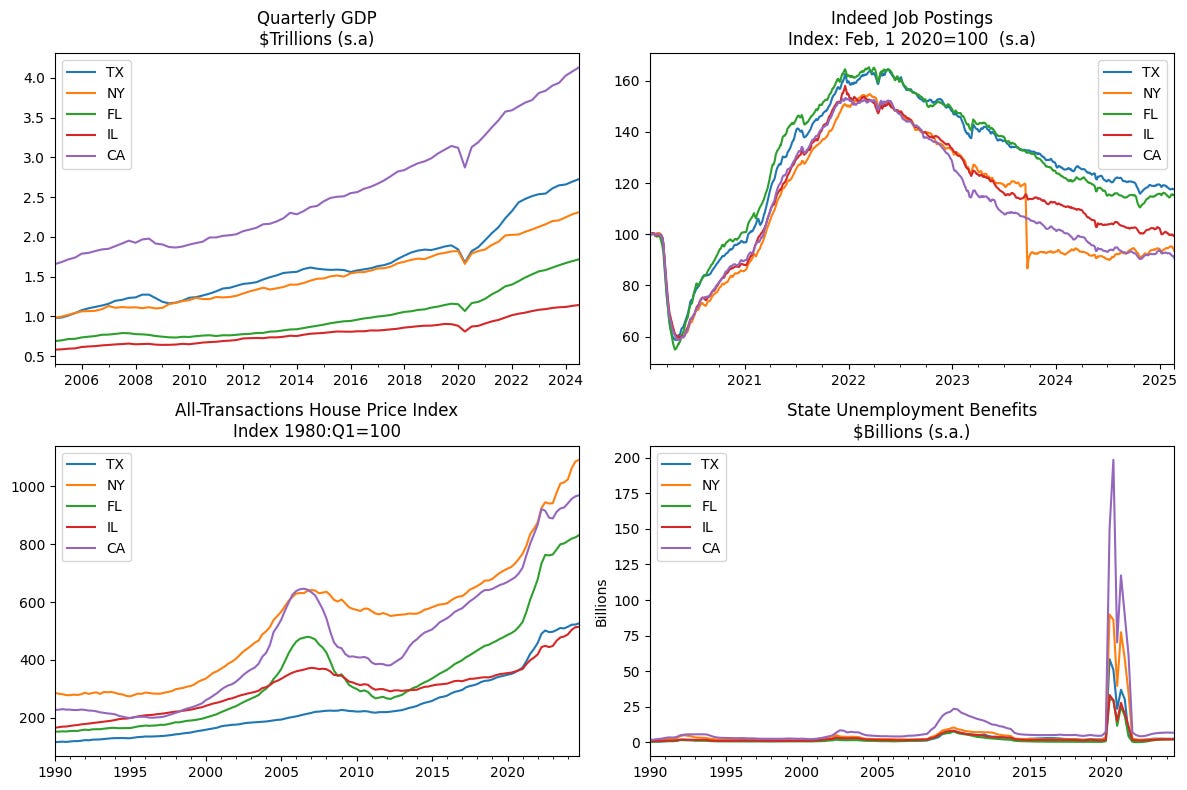
This provides endless opportunities to tell engaging, data-driven stories with a regional perspective, and the data can also serve as valuable inputs for predictive models.
The Python script I’ll be demonstrating isn’t limited to FRED. It can be used for any data API.
There are essentialy two steps to compile a state-level dataset from FRED. First, we need to find the series ID on the website, and then we input the parameters into the nifty Python function and run it.
If you’re absolutely new to FRED, check out my earlier post for a basic tutorial.

(1) Find the series on the Fred Website
Go to the regional data page on the FRED website and click on a state to explore the indicators available.
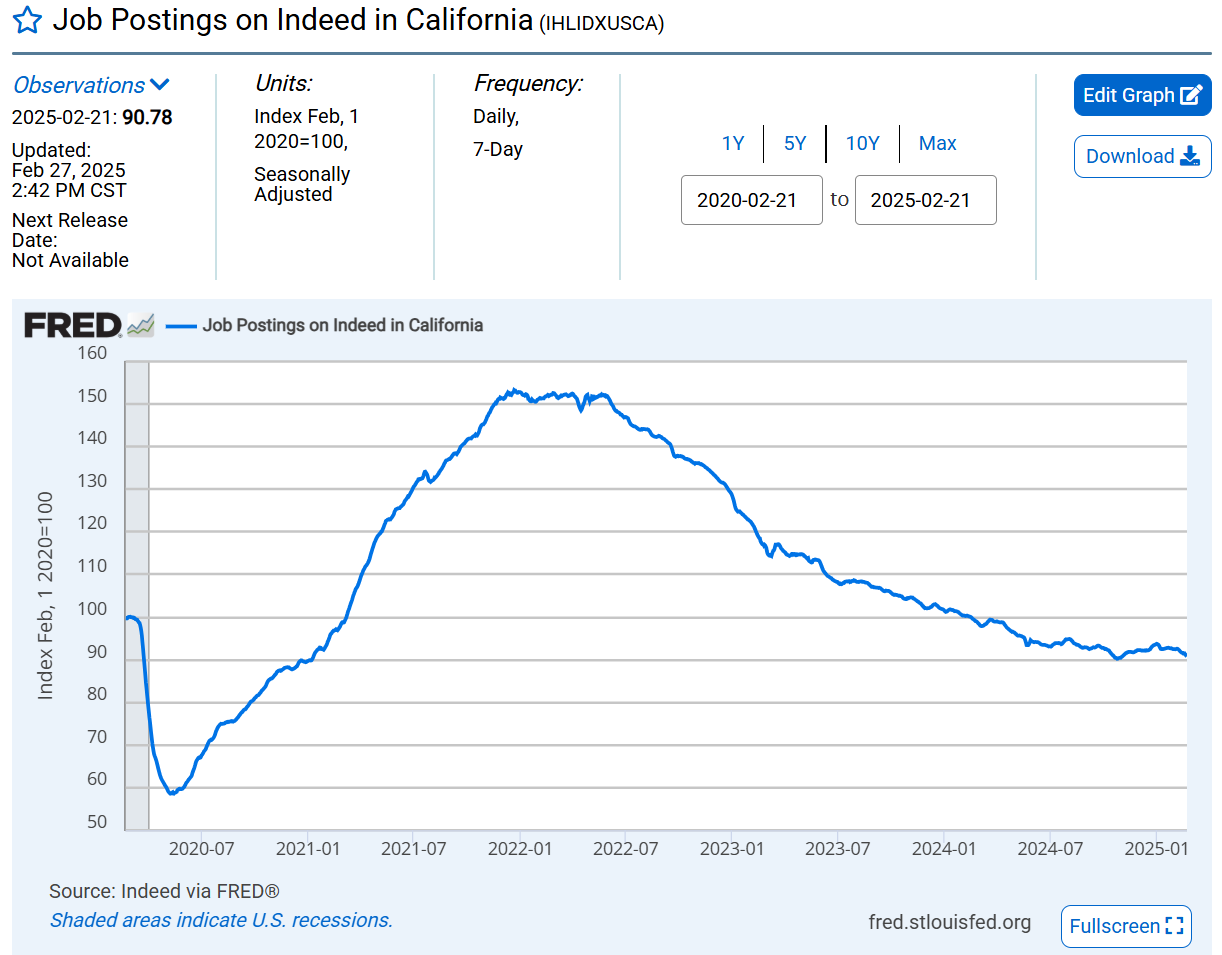
Once you find something that piques your interest, click on it to open the series page, which also displays a chart.
Next to the heading, you will see a series ID. For the series on Indeed job postings, it’s IHLIDXUSCA. Make a note of this ID as well as the starting date of the series.
(2) Use a Python loop function to query the API
Below is a Python function that we can use to query the series we want and compile the data for all states. The full code snippet is available at the end of this post.
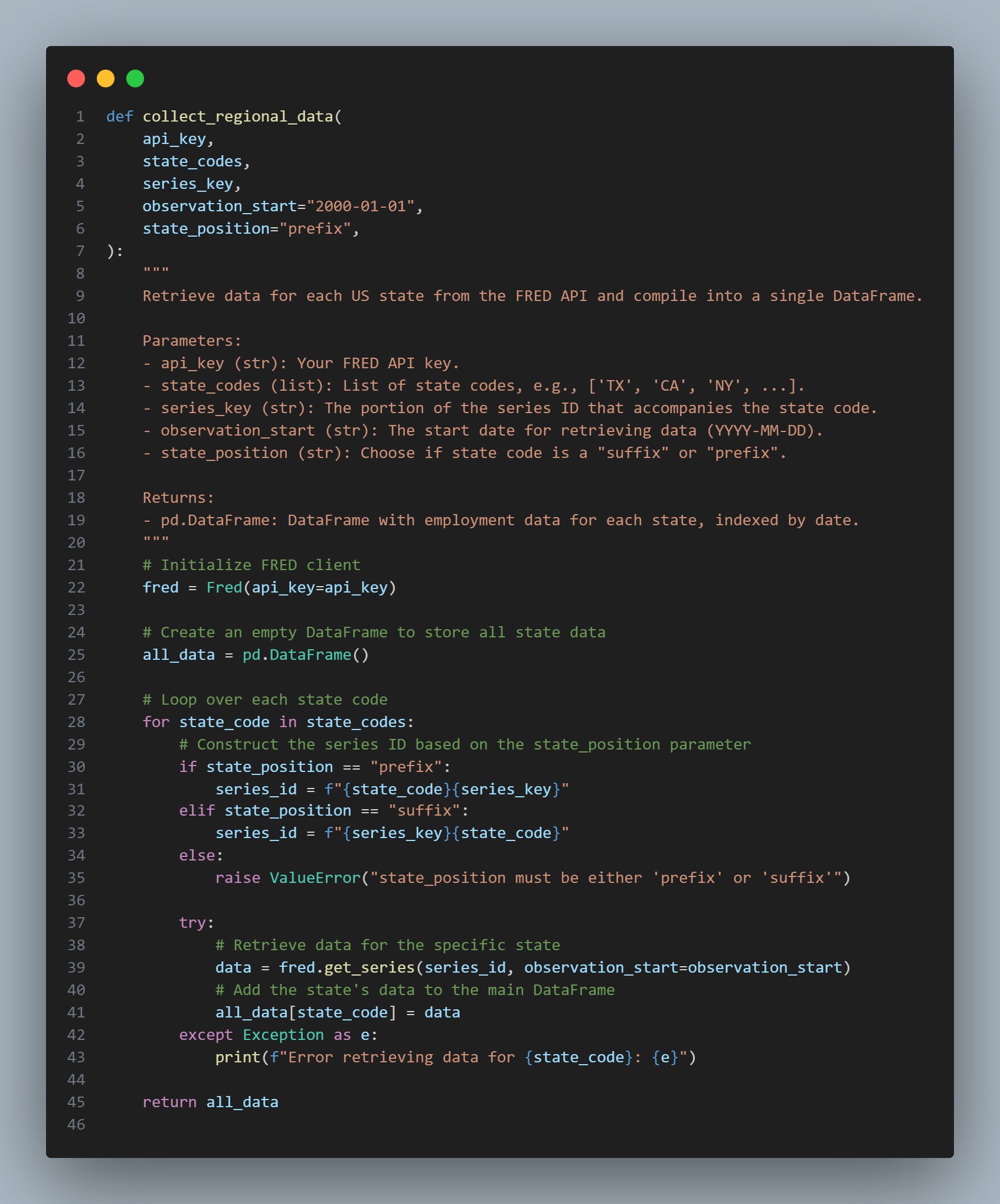
The function takes a list of state codes (state_codes), loops over each state, and constructs the full series ID for the API query by combining the series key and state code.
If the data is non-existent, you will get an error message stating “series does not exist.” Sometimes the error message is “none,” which indicates an error in connecting to the API. In this case, you can retry the query, and it should work.
The state code is normally a prefix on the series ID, but other times it is a suffix, as in the case of IHLIDXUSCA (‘CA’ for California), so the function provides an input parameter for this as well.
The function can be adapted for any series with regional breakdowns (cities, counties, etc.), as well as for international indicators.
To illustrate how this function can be applied, we can take the Indeed Job series, strip out the ‘CA’ and enter this as the series_key. Since the state code is a suffix, we input this into the state_position parameter.
data_indeed = collect_regional_data(
    api_key=FRED_API_KEY,
    state_codes=list_states,
    series_key="IHLIDXUS",
    observation_start="2020-01-01",
    state_position="suffix",
)
If we inspect the resulting dataframe (data_indeed), then we get this:
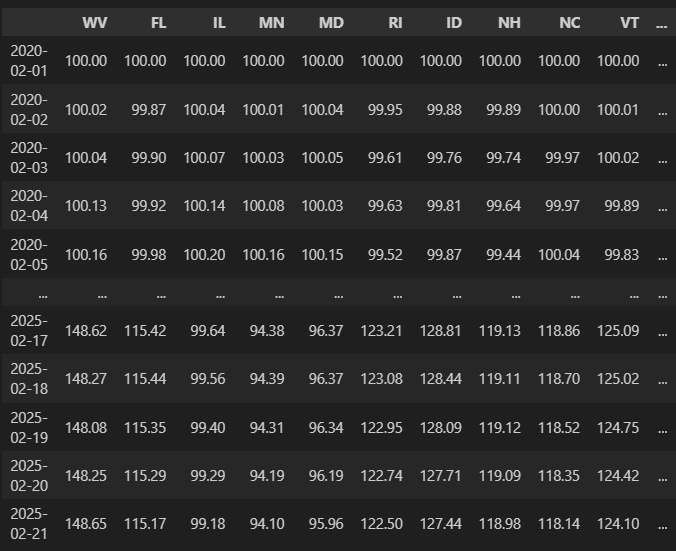
This is why Python is so useful—you can build custom scripts to interact with APIs and other applications, making your life a lot easier.
Ultimately, you can build a fully automated, end-to-end report with this, and I’ll demonstrate that in an upcoming post.
If you come across any interesting regional datasets, please share them in the comments below.
Full code snippet
import pandas as pd
from fredapi import Fred

FRED_API_KEY ="<YOUR FRED API KEY>"

list_states = [
    "WV",
    "FL",
    "IL",
    "MN",
    "MD",
    "RI",
    "ID",
    "NH",
    "NC",
    "VT",
    "CT",
    "DE",
    "NM",
    "CA",
    "NJ",
    "WI",
    "OR",
    "NE",
    "PA",
    "WA",
    "LA",
    "GA",
    "AL",
    "UT",
    "OH",
    "TX",
    "CO",
    "SC",
    "OK",
    "TN",
    "WY",
    "HI",
    "ND",
    "KY",
    "VI",
    "MP",
    "GU",
    "ME",
    "NY",
    "NV",
    "AK",
    "AS",
    "MI",
    "AR",
    "MS",
    "MO",
    "MT",
    "KS",
    "IN",
    "PR",
    "SD",
    "MA",
    "VA",
    "DC",
    "IA",
    "AZ",
]


def collect_regional_data(
    api_key,
    state_codes,
    series_key,
    observation_start="2000-01-01",
    state_position="prefix",
):
    """
    Retrieve data for each US state from the FRED API and compile into a single DataFrame.

    Parameters:
    - api_key (str): Your FRED API key.
    - state_codes (list): List of state codes, e.g., ['TX', 'CA', 'NY', ...].
    - series_key (str): The portion of the series ID that accompanies the state code.
    - observation_start (str): The start date for retrieving data (YYYY-MM-DD).
    - state_position (str): Choose if state code is a "suffix" or "prefix".

    Returns:
    - pd.DataFrame: DataFrame with employment data for each state, indexed by date.
    """
    # Initialize FRED client
    fred = Fred(api_key=api_key)

    # Create an empty DataFrame to store all state data
    all_data = pd.DataFrame()

    # Loop over each state code
    for state_code in state_codes:
        # Construct the series ID based on the state_position parameter
        if state_position == "prefix":
            series_id = f"{state_code}{series_key}"
        elif state_position == "suffix":
            series_id = f"{series_key}{state_code}"
        else:
            raise ValueError("state_position must be either 'prefix' or 'suffix'")

        try:
            # Retrieve data for the specific state
            data = fred.get_series(series_id, observation_start=observation_start)
            # Add the state's data to the main DataFrame
            all_data[state_code] = data
        except Exception as e:
            print(f"Error retrieving data for {state_code}: {e}")

    return all_data

# Collect state level gdp data
data = collect_regional_data(
    api_key=FRED_API_KEY,
    state_codes=list_states,
    series_key="NQGSP",
    observation_start="1984-01-01",
)
I have become a paid subscriber. Thank you for all of the great information.
This is great! Thanks for sharing.